


How do I delete my account?
How do I delete my account?
Steps to Deleting Your Account
Steps to Deleting Your Account
You can delete your account directly from within the app:
Open the app and go to Profile.
Tap on Edit Profile.
Scroll down and click Delete Account.
You can delete your account directly from within the app, provided your wallet balance is zero:
Open the app and go to Profile.
Tap on Edit Profile.
Scroll down and click Permanently Delete Account.

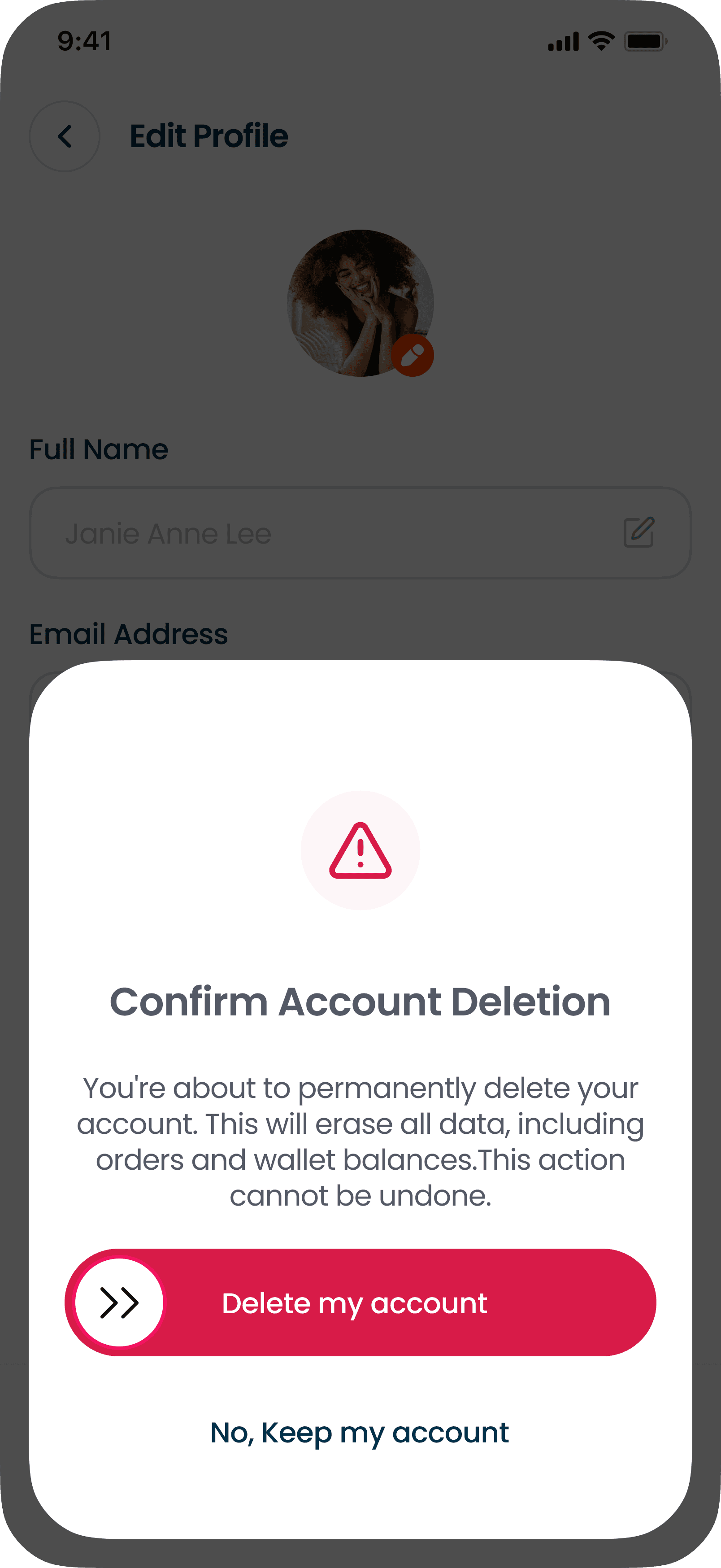
Slide to confirm deletion in the confirmation screen.
Slide to confirm deletion in the confirmation screen.
Important Notes
Important Notes
Accounts cannot be deleted while wallet balances remain.
Once deleted, your account and data cannot be recovered.
Any remaining wallet balances or credits must be used before deletion.
Transaction history will be permanently removed.
If you wish to continue using the app in the future, you will need to create a new account.
Accounts cannot be deleted while wallet balances remain.
Once deleted, your account and data cannot be recovered.
Any remaining wallet balances or credits must be used before deletion.
Transaction history will be permanently removed.
If you wish to continue using the app in the future, you will need to create a new account.